Tuesday, January 27, 2015

Mathseeds App - Free for a Few More Days!

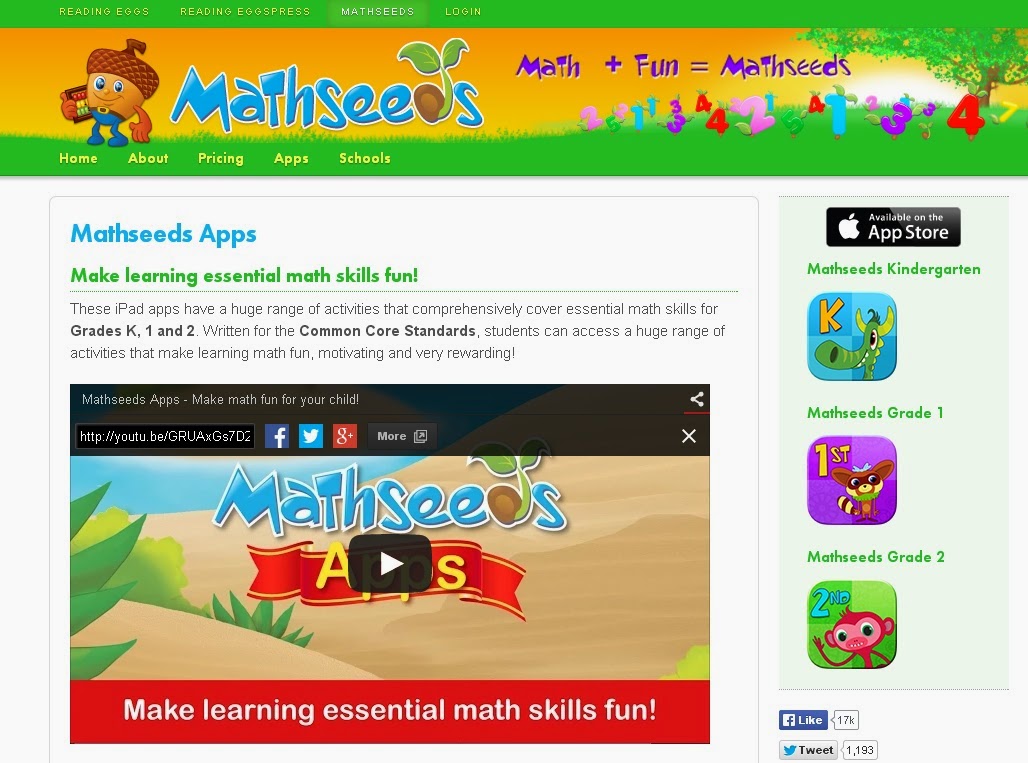
I don't normally promote specific apps but I just have to share this one. The Mathseeds app, normally $7.99, is free until the end of the month (Jan 2015). It comes from the Reading Eggs folks. Reading Eggs is an online subscription (or apps) that teaches reading skills through engaging animated lessons. Mathseeds has a similar approach, teaching math problem solving skills. The FREE apps, Mathseeds Kindergarten, Mathseeds Grade 1 and Mathseeds Grade 2 are very engaging and our K-2 students love sharpening their skills using these apps.
There is currently a free parent trial of the online version of Mathseeds for ages 3-6. It is designed to teach at the students' level, starting with number concepts.
Check it out, download it now and pass it on!


PS - If you like my blog post, please follow me and tell your fellow educators.

Tuesday, April 22, 2014

WGS on the Map - #GlobalSelfie

In celebration of Earth Day 2014, NASA is inviting the entire planet to participate in the #GlobalSelfie event. So, I took the challenge and put our quaint little rural, 94 year old, technology blessed and future minded elementary school on the map. WGS participated using the #GlobalSelfie Goolge+ event page. To find out the details or to participate check out NASA's Earth Right Now event.
Walnut Grove School on NASA #GlobalSelfie map!
Shout out to Jennifer Whitt and Vickey Sullivan for the nudge.

Tuesday, April 15, 2014

iPad Storage Solution

With our school achieving 1:1 student to iPad ratio we were faced with a new issue, secure storage. We needed to find an inexpensive way to store/charge our classroom sets of iPads. When I started researching I could find no inexpensive charging stations ($800 - the average rate), so this is what we came up with.
I decided on a rolling, locking file cabinet like this mobile file cabinet ($130). Luckily, our principal found someone at Central Office that had this type cabinet to give away so we didn't have to purchase them. We also bought surge protectors that had twelve swivel plugs, protector ($50). Someone then drilled a hole in the side to run the iPad cords through. Two surge protectors were mounted on the outside. We also bought protective cases for the iPads. We store/charge approx. 20 iPads per case. 
For about $250 we were able to adequately meet our need for secure iPad storage and charging. With iPads costing $500, this is a small investment.


Beyond Hour of Code – WGS Code:tasic Club

In December Walnut Grove K-5 students participated in the Hour of Code, sparked by code.org, during their library and computer lab time. It was hit with the students! Due to the success of this activity, we offered a 6 week after school coding club. Grades 3-5 participated in WGS Code:tastic Club up to three afternoons per week.
Mrs. Whitt, WGS Librarian, Mrs. Jenkins, WGS ACE teacher and myself used Code.org’s K-8 Intro to Computer Science course. The course is comprised of a 20 hour series of tutorials and activities. The robust course includes plugged activities and unplugged activities.
In the plugged activities (on the computer) the students learned a programming language called blockly to solve fun challenges and were introduced to JavaScript. With unplugged activities (no computer necessary), we taught the basic concepts of Computer Science in a hands-on kid friendly way. For instance, teaching conditionals by creating rules to our own card games and functions by creating patterned sun catchers. We also created games, sung songs and did relay races, all while introducing key vocabulary and concepts.
Learning coding helps students with math, problem solving, and critical thinking. Now the students will have the foundation to pursue their interests in programming.
We culminated the event with a Code-In (akin to a lock-in), wrapping up our plugged and unplugged activities, washing it all down with pizza, cupcakes and drinks. It was a huge success and for our efforts Code.org has awarded WGS $1000 in prizes through the DonorsChoose.org program. With this generous donation we are purchasing kits to begin teaching robotics and basic circuitry using Lego Robotics, Arduinos and LittleBits.
WGS kids are rocketing through this century!
Acknowledgement - Thanks to Holly Whitt for contributing content for this post
Thursday, December 12, 2013

Simon Says, "Let's Use Technology"

Sometimes the simplest teaching methods are the best, even in the world of technology. My most recent discovery is using the old Simon Says game to step students through learning new skills and I call it "Mrs. Campbell Says". Basically, when we are navigating new tech territory in a whole group setting, I give simple one sentence instructions. For example, I might say: "Mrs. Campbell says, click on the start button; Mrs. Campbell says, click on My Documents; Mrs. Campbell says find your saved Word document titled "My Halloween Legend". To command attention there are little or no repeats (depending on the difficulty of skill). At the end of the "game" the student has learned some new skills without being overwhelmed. One of our first grade class successfully created a short PowerPoint project titled Me and My Pet using Mrs. Campbell Says in about an hour. Sometimes I give stickers and I always give praise for a job well done but in any case we are all winners!

Wednesday, December 12, 2012

Interactive Posters? Kick it Up Using QR Codes

Want to extend the message of your poster projects? Try using QR codes! What does a good poster do? First, it grabs your attention. Secondly, it conveys important information about the topic. Using QR codes is the perfectly simple solution. Chances are your students have gathered topical information using reputable internet sources. Select the best source for additional information on the topic and generate your own QR code to embed/attach/apply to your poster. The resources are numerous and the possibilities are limitless. Maybe there is a cute YouTube video that someone has made that further elaborates on the poster content. If so, create a QR code for the video link.


Shout Out to Sloan and Laurel - Winning Poster

In the example above, students were challenged to create a poster for the local Farm City contest based on the theme "Grown Safely - Extra Tasty". They were invited to look at several websites for inspiration, including www.AlfaFarmers.org. When they decided on the content for their poster, the students attached a QR code linking to a farming brochure on this site. The brochure was packed with additional information about safe farming practices.

Now...with all this said, the question you may have is, "How do I do that?".
Answer: Simple, just check out my QR Codes on the Fast Track page (click the link or beside the Home tab on this page). There you will find a code generator link, recommended QR code reader app and other ideas.

Monday, October 15, 2012

Setting the Mood for Computer Lab

Sometimes the simplest things can liven up an environment, so I periodically change the desktop backgrounds in the computer lab. One of our favorites is the "Click or Treat" one that I created in Microsoft Publisher. Basically, I started with a blank publisher file. Setup the page size to be 16 x 9 (wide screen), inserted jack-o-lantern clipart (stretched the entire size of the page) and added the "Click or Treat"  text. Then I saved the file as a jpeg. Finally, when October rolls around I locate the picture, right click and select "Save as Desktop Background". Now, sit back and listen to the oohs and aahs.

Tuesday, October 9, 2012

WGS - Fantastic High Tech Readers

This month Walnut Grove School is participating in the Be a Champion! Read! contest. The classrooms are encouraged to participate by reading and decorating an area for their class. All of this in hopes of winning prizes, gaining knowledge and making reading fun.
With that said, I didn't plan to participate. Mainly because I am a computer lab teacher and don't have a homeroom class to fulfill the reading part of the contest.
Then it hit me. WGS needs a board to represent the "High Tech" ways in which we read.

Thus is born our board. "FANTASTIC HIGH TECH READERS - LEARNING IS OUR GOAL!!!"
Footballs highlighted with the following media types
(and examples):
  • Online Encyclopedias (Wikipiedia, EB Kids...)
  • Search Engines (Google, Kids Click, Bing...)
  • Online News (Time for Kids, al.com, CNN.com...)
  • E-Reading (iBooks, nook, Kindle...)
  • Online Libraries - AVL
  • Social Networks (blogs, wikis, facebook, twitter...)
Gathering information through electronic media is not only commonplace but is a formidable means of learning.
So get out there kids and read to learn!

Help! I want to use my iPhone/iPad photos on my PC

If you are an avid iPhone/iPad user (especially iPhone users), your life moments are captured through camera apps. Am I right? We snap special occasions and silly everyday moments, important information and cute crafty ideas, or picturesque scenes. Now, we want to share or use these images. There are tons of sharing and manipulation apps, which I am not going to attempt to tackle.
But, if you still live in the PC world, there is a simple way to port images to the PC. Just follow these simple steps.
  1. Connect your iPhone to the computer using the USB -> iPhone cable. When you do this an "Apple iPhone"  dialog box will appear with several options (such as Dropbox, Microsoft Publisher, Word, etc.) 
  2. Highlight the Microsoft Scanner and Camera Wizard option and click the OK button. The wizard will step you through copying pictures from your iPhone/iPad to your computer.
  3. Select the pictures to copy, click Next.
  4. Name the picture group and choose a place/folder to store the group.
  5. Click Next and you are done.
Now, print those images, upload them to your blog and incorporate them into your Microsoft programs.
How simple is that?

Wednesday, September 26, 2012

Star Themed Computer Lab

Who is the STAR of computer lab? You are!!! That's the theme I set at the beginning of the school year and kids love it. This is how we create a STAR themed computer lab.
  • The computers are numbered with stars.
  • Desktops have a star backgound, created in publisher and saved as a jpeg.  PowerPoint slides can also be saved as jpegs.
  • In the Monitor Display Properties(right click on the desktop for properties) under the Screen Saver tab, select Marquee. There I set the Marquee to scroll "*** I'm the star of computer lab!!! ***".
  • We watch a PowerPoint titled "How to Be the Star of Computer Lab" which covers the basic rules of our environment
To complete the theme the Computer Lab door is covered with the American Flag look and stars reminding students of our does and don'ts. As the year goes on the stars can be changed to cover other technology topics, such as computer terms or Internet etiquette.


Tuesday, September 4, 2012

What to Blog About?

What keeps us from blogging? For me, there are two things or maybe three. The number one reason - I like to call it blogger’s block. Does anyone else suffer from bloggers block? Are my blog topics interesting or useful to my followers? What to blog about???
What is a blog? A blog can be a personal diary, how to information or it is really anything you want to put out there (the web). The possibilities are virtually limitless. Check out the Blogger Tour has to say about blogs.
Then it hit me…take the “lo” out of blog and replace it with “ra” and what do you have? That’s right, “Brag”. All I really have to do is brag or tell about all of the interesting things we at WGS are doing with technology. I have been encouraging our teachers to brag about (i.e. post to their blogs) all of the great things they are doing in the classroom. The classrooms and halls of WGS are looking awesome and the photo ops are just waiting.
So, the conclusion of the matter, WGS Tech Gal has her blogging juices flowing now...More posts, coming soon.  

Tuesday, May 8, 2012

WGS Lab - Sunny Side Up

Technology? We’ve got that!
 Computers?  Check!  *   Projector?  Check!  *   iPads?  Check!
Kids eager to use technology?  Check!  Check!  Check!
The only thing lacking in our lab?  Visual interest and a fresh coat of paint, but not anymore.  Being the computer teacher, I decided to “Google” for Computer Lab ideas. I was able to find several ideas and products. We were able to purchase a rug printed with technology terms from Bytes and Grins. My personal favorite is a the QR code 24x24 inch decal. The code will take you straight to the school’s website using one of many QR code reader apps. QR codes are one of the latest and coolest things in world of technology. It's fun and functional with an interesting visual.
Sunny Walls and QR Code


Just a Little Personality
 
Tech Terms Rug

Wednesday, February 22, 2012

Google Docs - How To

For those in need of help with Google Docs, maybe the following will help.
Kurt's Google Docs How To#

Thanks to Mr. Kurt Schwengel for this information.

Dropbox Guide

Have you heard of Dr. Frank Buck? I learned of him while sitting in on his presentations at various technology conferences. Additionally, I subscribe to his blog Get Organized! which is devoted to organizational skills. Since I subscribe to the blog, I receive emails from Dr. Buck with extremely useful technology tips. The latest news had a free step-by-step guide for using Dropbox.
Check it out...
http://frankbuck.org/Files/Get_Organized_With_Dropbox.pdf

Friday, January 27, 2012

About Me...Her Vision

I laugh at myself when I think about the girl, that having never once used a computer (but she did take typing in high school) decided to pursue a degree in Computer Science. She did have a vision…
Computers would be the wave of the future. Businesses would have computers to do computations; computers would provide solutions to complicated mathematical equations; databases would be managed by computers and someone would be needed to program these machines and she was just the person to do it! And she did…
Until one day she decided to leave the world of computers to be a stay-at-home mom (for 14 years). When she returned to the working world of technology, it had changed, not just changed but morphed exponentially. She barely knew how to use Word, had never sent an email and was not a Googler.
Flash forward eight years… she runs a school Computer Lab, is the go-to person for computer hardware/software issues, is the school’s Word, PowerPoint, Outlook, iPad and iPod expert. She is a Googler and now a blogger.

Thursday, January 26, 2012

WGS New Apps

WGS Folks...Be sure and check out the new iPad and iPod apps recently. We have lots of math apps, sight word apps and creative writing apps (such as Toontastic).

Thursday, January 12, 2012

Baby Blogger

Hello. Welcome to my blog. Just trying out my sea legs in the blogging world. Not too difficult. Hoping to dive into things with bells and whistles, soon!